The membership lifecycle
Seven stages. One record the whole way through.
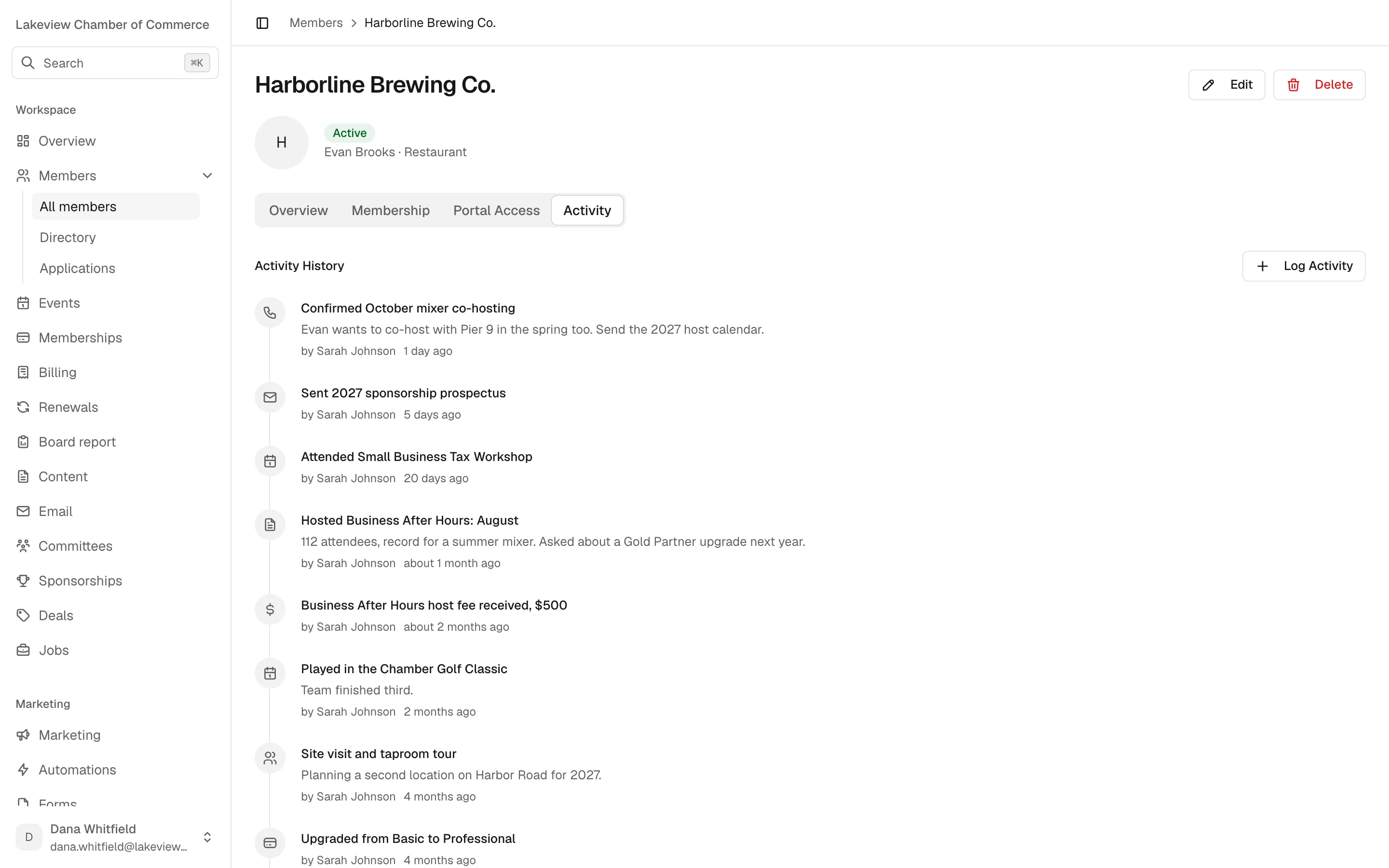
A business applies on your website, and from then on everything that happens to that membership is written to the same record: the approval, every invoice, every reminder, every event, every call your staff logs.
- 01
Applied
From your website
- 02
Approved
Member created
- 03
Invoiced
Numbered, on your plan
- 04
Active
Dues paid
- 05
Renewing
Reminders run
- 06
Grace
Follow-ups
- 07
Expired
Only after all that
01Member records
A member list your staff can actually search.
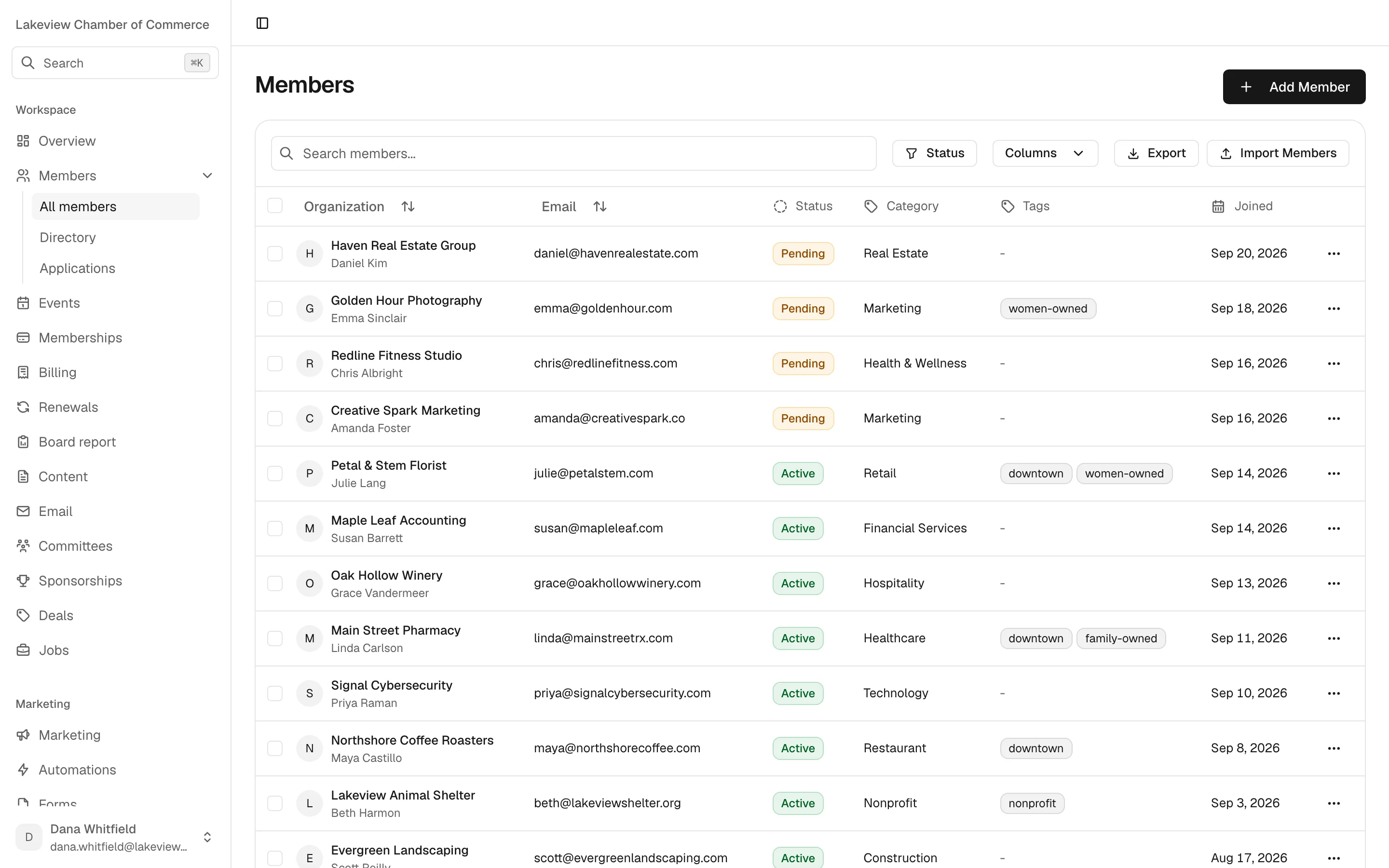
Search by name or email, filter by status, and tag members however your chamber thinks: downtown, women-owned, family-owned. Add custom fields for whatever else you track.
- Four statuses
- Active, pending, expired and cancelled, so the board count and the mailing list agree.
- Applications from your site
- A business applies on your website. Staff get an email, and approving it creates the member.
- Import that explains itself
- CSV import reports errors row by row, so one bad phone number doesn't sink the file.
- Nothing lost by accident
- Export to CSV any time. Deleting a member is recoverable, and the activity log keeps the trail.
02Plans
Plans that match how you sell membership.
Bill monthly, quarterly or annually. And because membership and events live in one system, a plan can include events: your top tier gets into the gala at no charge, without a staff member issuing comp tickets by hand.
| General admission | $110.00 Included |
| Gold table sponsor | $2,500.00 |
Included events cover what the plan says they cover. Sponsorships and extra packages are still paid for, and invoiced through the same ledger as dues.
03Renewals
The renewal schedule, written down.
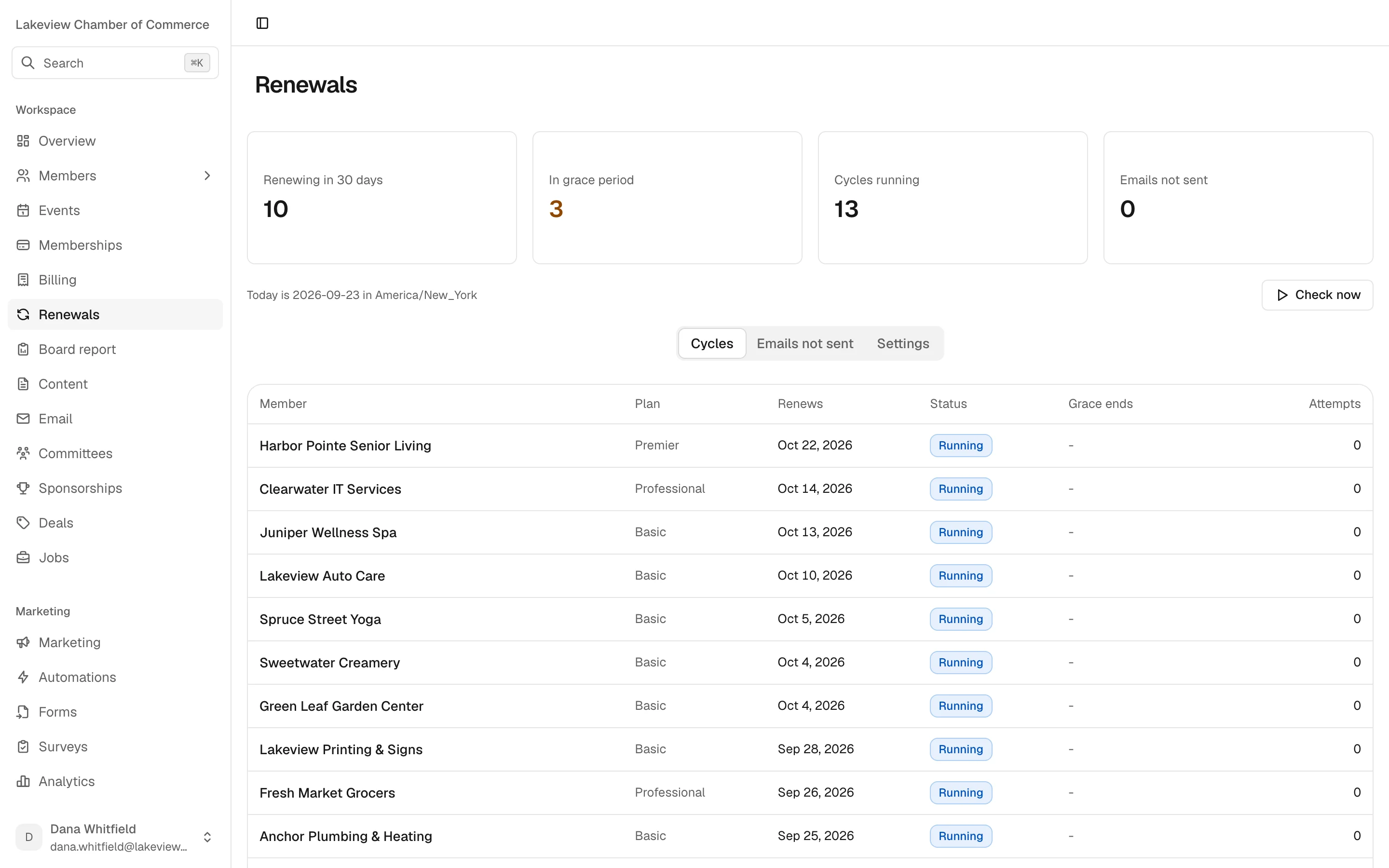
This is the default. Every step is yours to change, and none of it runs until you switch it on. Reminders go out at 9 in the morning in your chamber's time zone, not the server's.
- No member gets the same reminder twice.
- Failed sends are listed, with a resend button.
- A newsletter unsubscribe never stops a renewal notice.
- 30 days before First reminder 9:00 AM
- 14 days before Second reminder 9:00 AM
- 7 days before Third reminder 9:00 AM
- 1 day before Last reminder 9:00 AM
- Due date Renewal invoice issued
- Days 1, 7 and 21 Follow-ups during a 30-day grace period
- Day 30 Membership expires
04Member portal and dues
Members handle the small things themselves.
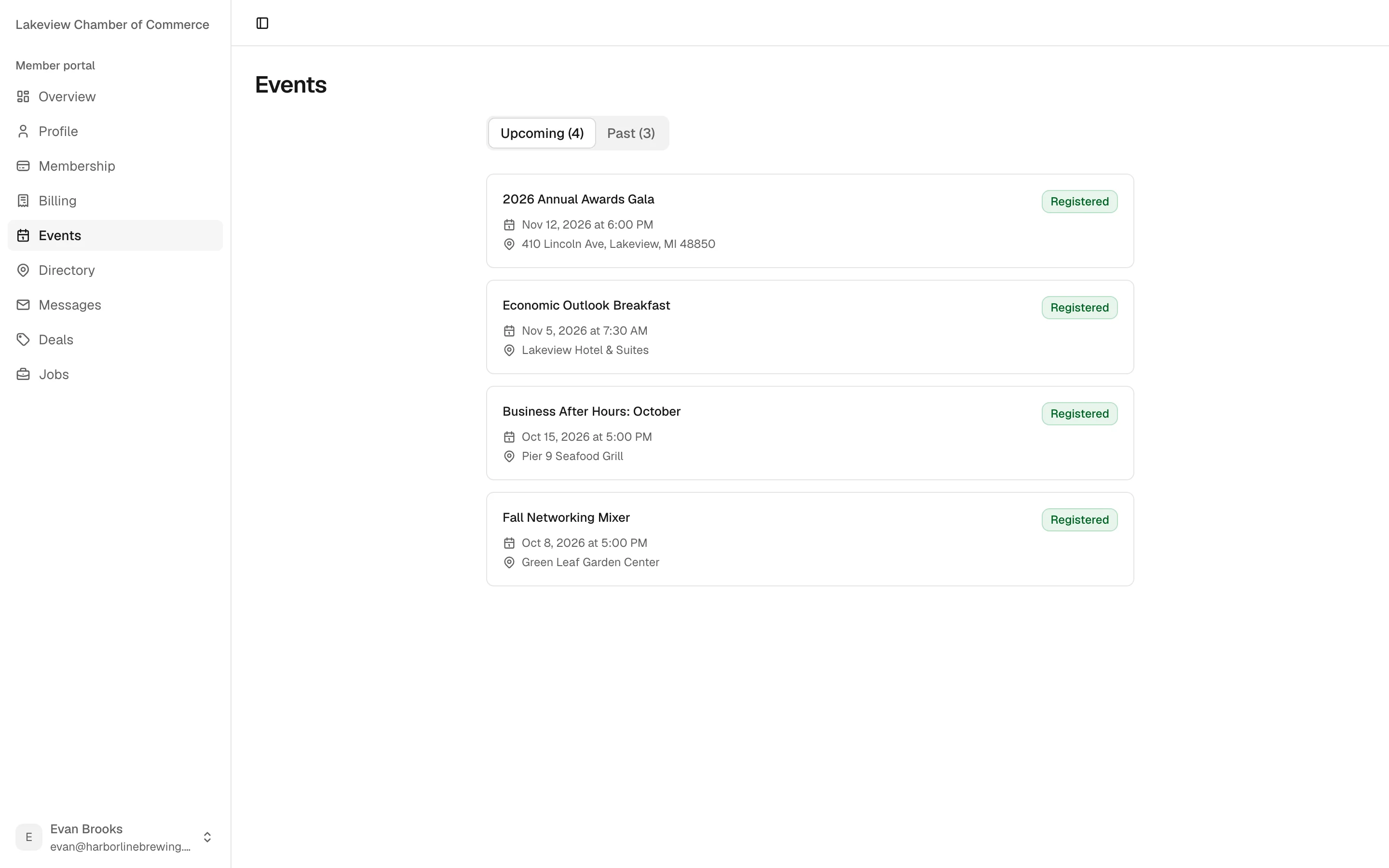
You turn on portal access member by member. Once they're in, they can:
- Update their profile and contact details
- See their membership and when it renews
- Pay open invoices online and save a card
- See the events they're registered for
- Edit their directory listing, for staff to approve
- Read messages, and post deals and jobs
Dues paid online go to your chamber's own Stripe account. Dues paid by cheque, cash or transfer are recorded by staff as payments in their own right, with no Chamberly fee on them.
Good to know
What membership doesn't do yet.
No automatic charging
Members can save a card, but renewals aren't charged to it without them.
Email only
Reminders and follow-ups go by email. There's no SMS.
No PDF invoices
Invoices live in Chamberly and the portal, and payments export to CSV.
Questions
Membership questions.
Something not covered here? Ask us on the demo, or write to [email protected].
What is membership management software for a chamber?
It's where the chamber keeps its members and everything that happens to them: applications, plans, dues, renewals, payments, event attendance and notes from staff. In Chamberly it's the same system as your events, sponsorships, billing and board report, so nothing has to be copied between tools.
Can we bring our current member list?
Yes. We import your members, plans and directory from a GrowthZone (ChamberMaster) or MemberClicks export or a spreadsheet, and do it with you. If you import a CSV yourself later, Chamberly reports any problem row by row instead of failing the whole file.
Will renewal reminders start emailing members as soon as we switch?
No. The renewal cycle ships switched off. You review the schedule, change what you want, and turn it on when you're ready.
Are renewals charged to a saved card automatically?
Not today. Members can save a card in the portal and pay their renewal invoice in a couple of clicks, but Chamberly doesn't charge the card on its own. We'd rather say that plainly than have you find out in October.
What if a member unsubscribes from our newsletter?
They stop getting marketing email, and they still get renewal notices, because dues aren't marketing. A spam complaint or a hard bounce stops all mail to that address.
Can one plan include event tickets?
Yes. A plan can include events, so a Premier member gets general admission to the gala at no charge and still pays if they buy a sponsorship.
What happens if we delete a member by mistake?
Deleting a member is recoverable, and the activity log records who did it and when.