First, the names
ChamberMaster is GrowthZone.
ChamberMaster is the chamber product of the company now called GrowthZone. Your staff may call the system one name while the invoice says the other. Either way, it's one vendor.
So there's one system to leave, one export to request, and one contract to check. More on the naming.
Step by step
What a switch involves.
Nine steps, in roughly this order. Some run side by side: your website is built while your staff learn the system on your own data.
- 1
Export from GrowthZone (ChamberMaster)
You
Pull your member and contact lists, membership types and dues, and directory listings with their categories as spreadsheets. If you're not sure where an export lives, ask your current vendor's support for a full data export; it's your data. A spreadsheet you keep yourself works too.
- 2
We map the fields and import your members
Chamberly, with you
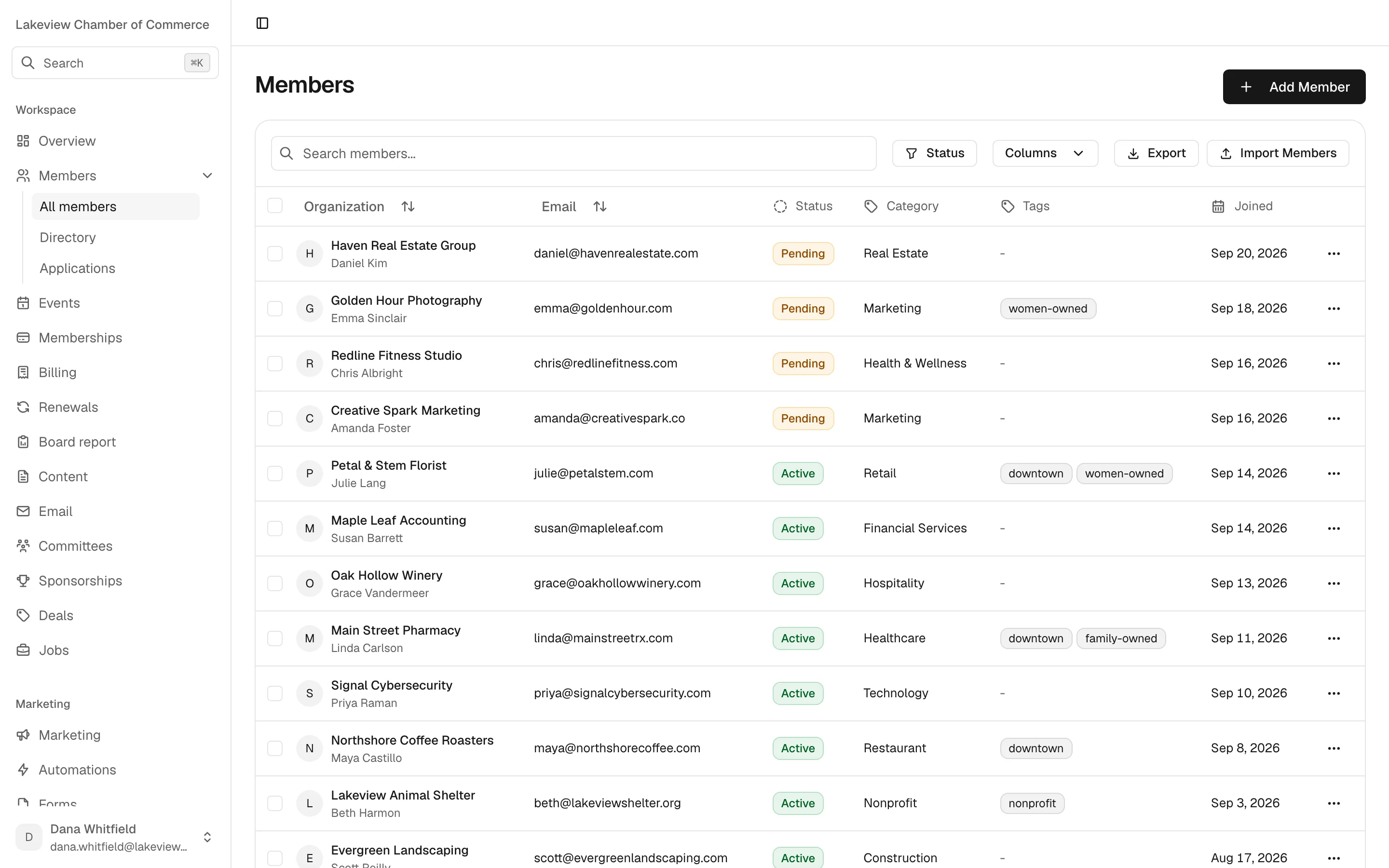
We match your columns to Chamberly's: organizations, contacts, statuses, categories, tags and custom fields for anything that doesn't fit. The import reports problems row by row, so a bad email or a missing name is listed for fixing rather than dropped. You review the result before anything goes live.
- 3
Plans and the directory
Chamberly, with you
Your dues levels become plans, billed monthly, quarterly or annually, and can include event tickets. Directory listings come across with their categories, including which members are listed and featured, so your new website has a full directory on day one.
- 4
Set up renewals, then switch them on
You, with us
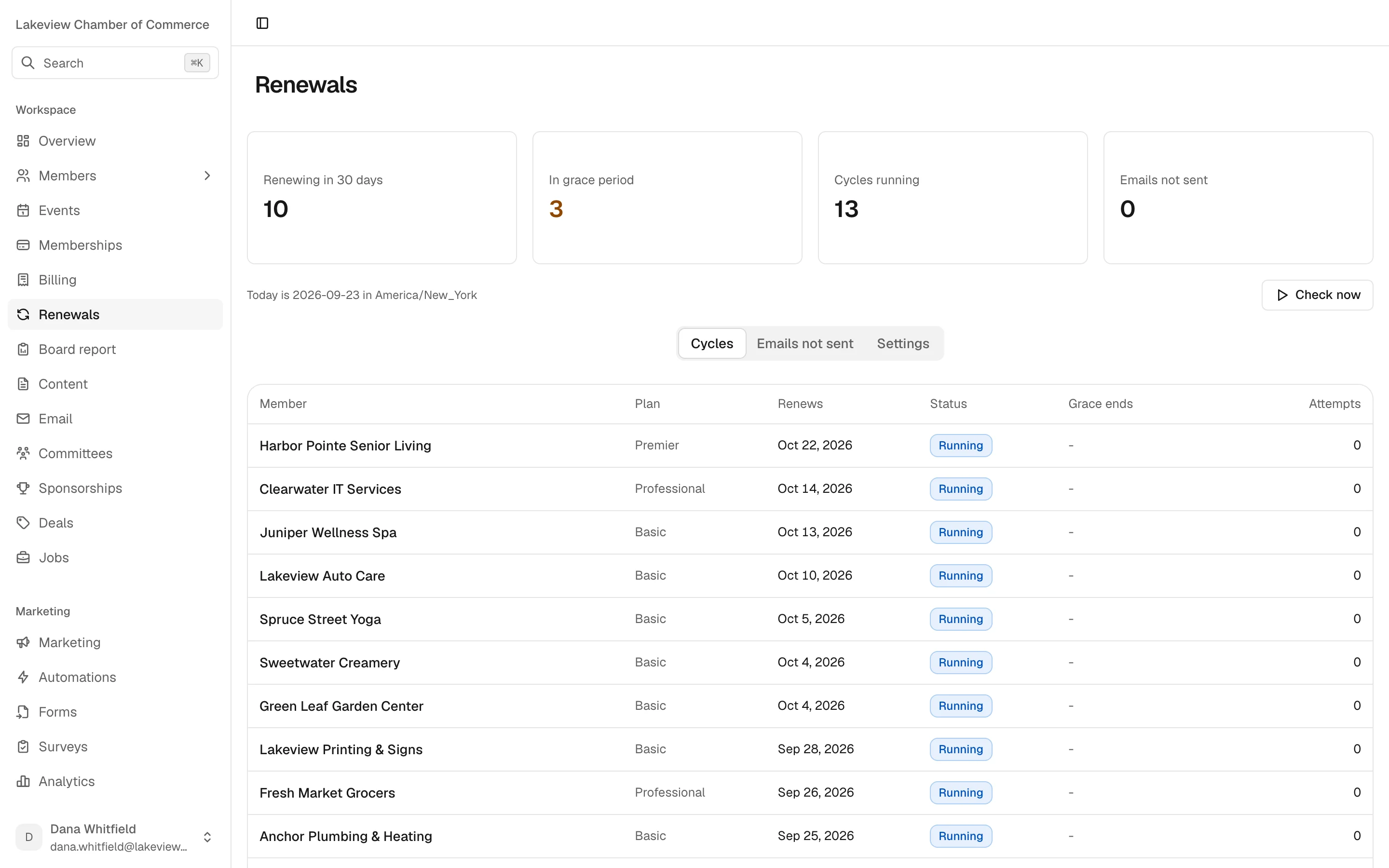
Check that each member's renewal date came across correctly, then review the schedule: by default reminders go 30, 14, 7 and 1 days before at 9am your time, an invoice on the due date, a grace period with follow-ups, then expiry. Change any of it. The cycle ships switched off, so nothing reaches your members until you turn it on.
- 5
We build your new website
Chamberly
Included on every plan. We design a site for your chamber and connect it to Chamberly, so events, the directory, the blog and the membership application stay current without anyone copying them over. You bring your logo, colors and words. If you'd rather keep your web agency, they build on our REST API instead.
- 6
Give your accountant the QuickBooks export
You and your accountant
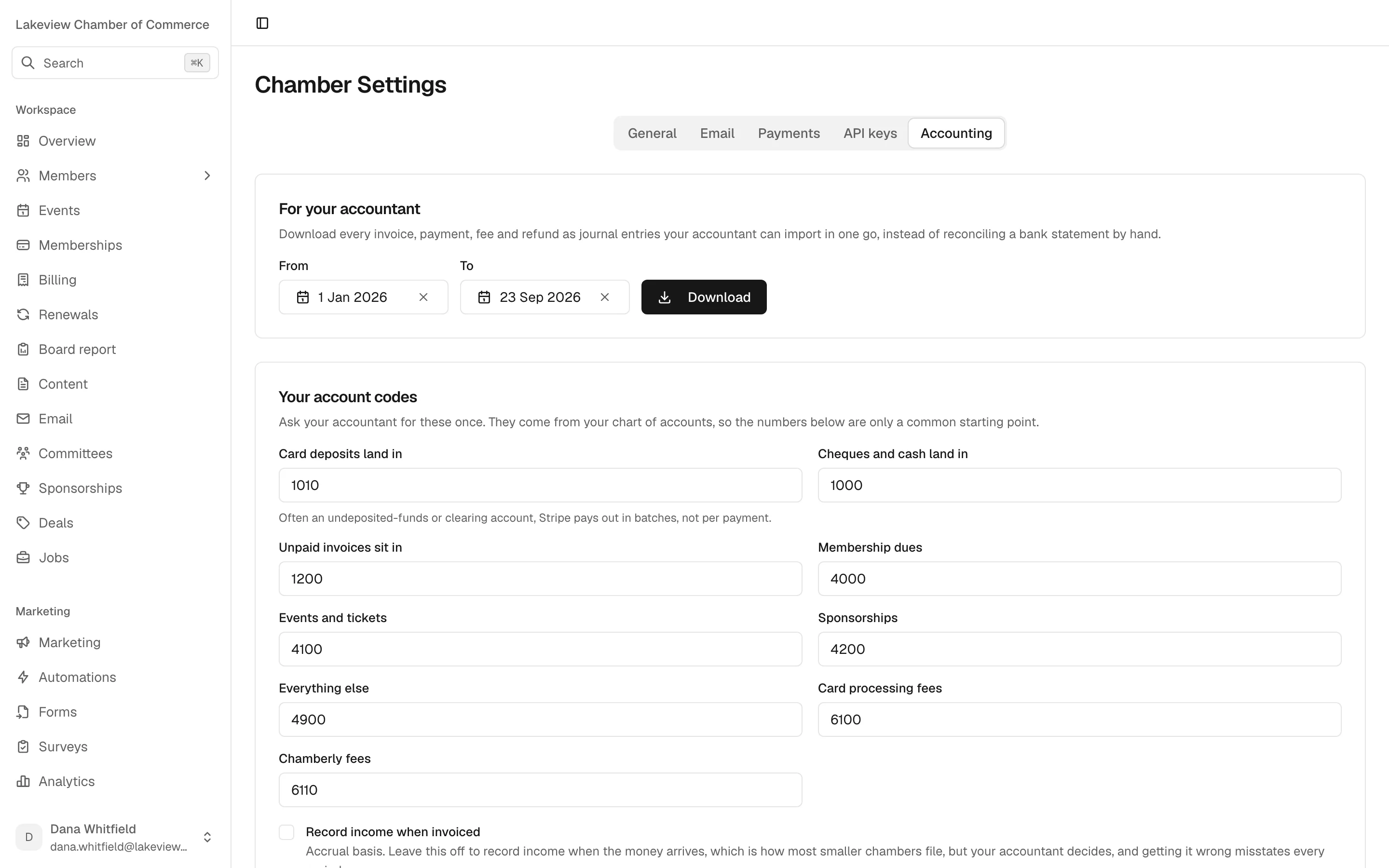
Ask your accountant for your account codes once and enter them in Settings. Chamberly then exports balanced double-entry journal entries for any date range, cash or accrual, with sponsorships on their own line. It's a file your accountant imports, not a live sync, and Chamberly won't build it if the entries don't balance.
- 7
Connect payments, if and when you want
You
Cheques, cash and transfers work from the first day with no Chamberly fee. When you want members to pay online, connect your chamber's own Stripe account. Saved cards generally can't be carried over from another system, so members who want one save it again in the portal.
- 8
Bring your staff in
You
Invite each person by link as an admin or staff user. There are no per-seat fees, so invite everyone who needs access. Deactivating someone ends their sessions immediately.
- 9
Cut over and tell your members
You, with us
Pick the day your new website and member portal go live, let members know how to sign in, and keep your old system until you've checked the data and exported everything you want to keep.
A realistic timeline
Four stages, at your pace.
We won't put a number of days on this page. How long it takes depends on how clean your export is, how many plans you run, and how soon your website content is ready. On the demo we'll give you a plan for your chamber. One tip: avoid cutting over in the middle of your busiest renewal month.
-
Stage 1
Before you commit
A demo, a look at a sample of your export, and a straight answer on what moves cleanly and what doesn't. Check your current contract's end date and notice period now.
-
Stage 2
Import and review
Members, plans and directory come in. You check a handful of records you know well and the renewal dates. Fixes go back through the import until they're right.
-
Stage 3
Build and set up
Your website is designed and built while your staff learn the system on your real data. Renewals, account codes and payments are configured, but renewals stay off.
-
Stage 4
Go live
The website and portal launch, renewals are switched on, and the old system is kept only as long as you need it for reference.
What to prepare
Gather these before the demo.
None of it has to be perfect. It just saves a round of questions later.
- Your data export from GrowthZone (ChamberMaster), or your own spreadsheet
- A list of your membership levels, their prices and how often they bill
- Your directory categories and which members are featured
- Your logo, brand colors and the pages you want on the new website
- Account codes from your accountant's chart of accounts
- The names and emails of staff who need access
- Your current renewal schedule, so we can match or improve it
- Your current contract's end date and notice period
- A Stripe account, only if you want online payments
Honest caveats
What we won't pretend.
Weighing it up against staying? Our side-by-side lists the questions to ask, and pricing shows the math.
- 01
It's a service, not a button
There is no automated migration tool. We do the import with you, which means it goes at the pace of your export and your review.
- 02
Not everything maps one to one
Years of data in any system collect odd fields and workarounds. We'll show you what fits, what becomes a custom field or a note, and what's better left behind.
- 03
Some things Chamberly doesn't do yet
Certificates of origin, a built-in general ledger, SMS, automatic card charging on renewal, recurring events and a calendar view. If you depend on one, tell us before you switch.
- 04
We're new
Chamberly was founded in 2026 and has no customer references yet. The founding program is how we earn them: two months free, and a clean export of your data if it doesn't work out.
Founding chambers
Switch with us beside you.
Three US chambers, any size, run on Chamberly first: free for two months, the founding rate kept for good, and a direct line to the people who build it. In return, an honest review after 90 days if it works, and a clean export of your data if it doesn't.
Leaving GrowthZone
Switching questions.
Something not covered here? Ask us on the demo, or write to [email protected].
Is ChamberMaster the same as GrowthZone?
Yes. ChamberMaster is the long-running chamber product of the company now called GrowthZone. Leaving one means leaving the same vendor.
What exactly do you migrate?
Your members and their details, membership plans and directory listings, from a GrowthZone (ChamberMaster) export or a spreadsheet. We map the fields and do the import with you. Tell us what else you need moved and we'll say honestly what's possible.
How long will it take?
It depends on how clean your export is, how many plans you run and how quickly your website content comes together. On the demo we'll look at your situation and give you a plan, rather than a promise on a web page.
Does migration cost extra?
No. Migration of your members, plans and directory is included on every plan, and so is your new website.
Will our members get emails the moment we import?
No. Renewals ship switched off, and nothing emails your members until you turn it on.
Can we keep QuickBooks and our accountant's process?
Yes. Chamberly exports balanced journal entries your accountant imports into QuickBooks. It doesn't replace your books.
What if we switch and it isn't right for us?
Your data is yours. You leave with an export of your data, at no charge.